
Guide
How to make a to-do list you will actually finish
A to-do list stops working when it becomes a record of everything you might do. These six rules keep it useful.
- iPhone
- iPad
- Mac
1. Keep one list for everything
Tasks spread across notes, emails and sticky notes are easy to lose. Choose one place, on paper or in an app, and put everything there as soon as you think of it.
2. Write tasks as actions
“Dentist” is a reminder. “Call the dentist and book a check-up” is a task. Start with a verb and make the next step clear, so you do not have to think again when you read it.
| Instead of | Write |
|---|---|
| Report | Write the first page of the report |
| Holiday | Compare flights for 12 June |
| Taxes | Send the invoices to the accountant |
3. Break big things into steps
If a task will take more than an hour or two, it is a project. Give it a name and list its steps. A task you can finish in one sitting is far easier to start.
4. Separate today from everything else
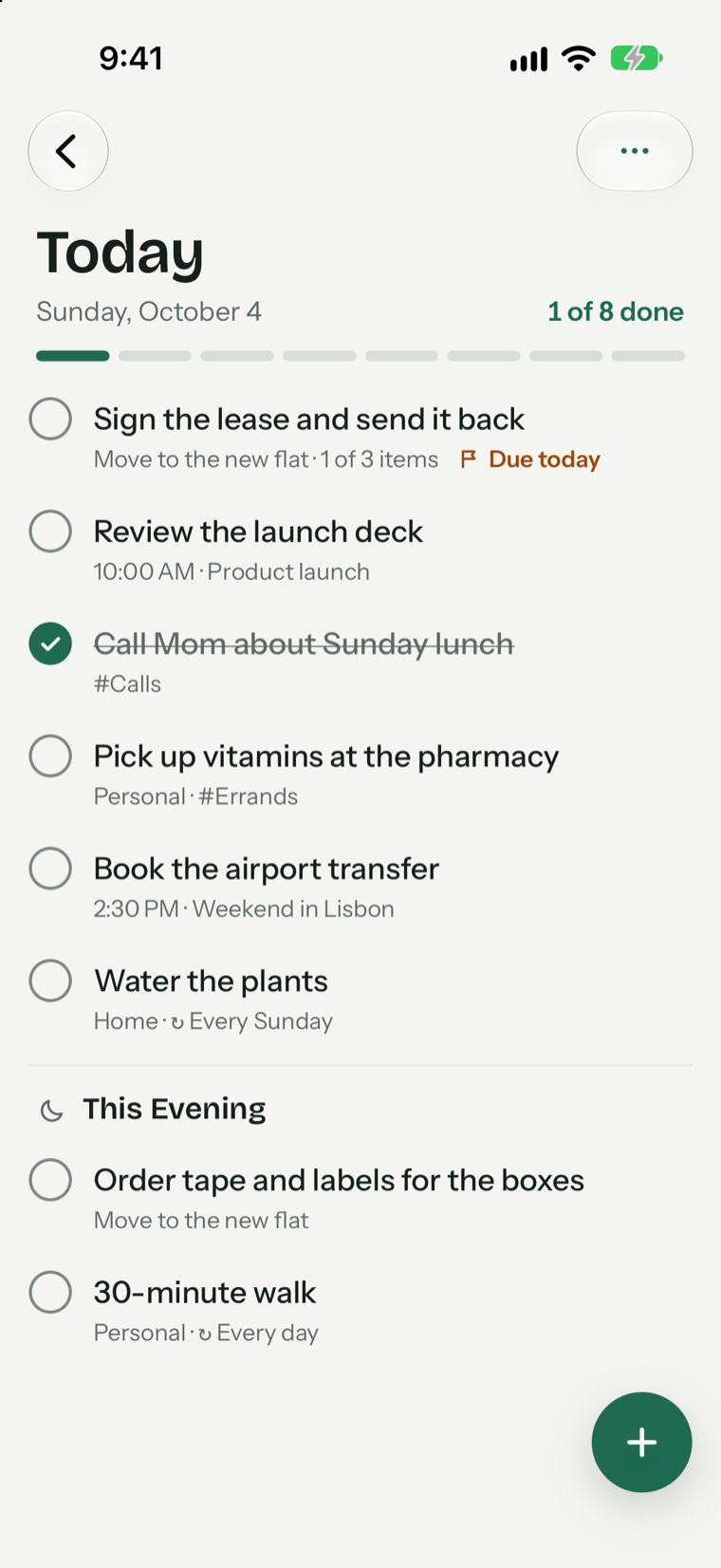
This is the rule that matters most. Your full list can be as long as it likes, but today's list should have one to three important tasks and five or six at most. Everything else waits on another day or on a someday list.
5. Add dates only when they are real
If every task has a deadline, none of them does. Use a date when something truly must happen then. For the rest, choose a day to look at it or leave it undated.
6. Review it every week
Once a week, delete what no longer matters and move what is stuck. A list you trust is one that has been cleaned. Our weekly planning guide shows how to do this in 20 minutes.
A sample to-do list
- Today: Finish the budget slides. Call the landlord about the lease. Buy a birthday gift.
- This week: Book the dentist. Send the invoices.
- Someday: Learn to make sourdough. Plan the summer trip.
Common mistakes
- Listing everything for today, then ending every day behind
- Keeping tasks so vague that you avoid them
- Never deleting anything, so the list only grows
A to-do list app that follows these rules
Pineday separates Today from Upcoming, Anytime and Someday, and shows when a day is too full. Type “Call the landlord Friday at 5pm” and it sets the date for you. Try it on iPhone and iPad or on Mac.
Questions and answers
How many items should a to-do list have?
The full list can be any length. The list for today should have one to three important tasks and no more than five or six in total.
Should a to-do list be on paper or in an app?
Paper is simple and free of distractions. An app is better for repeating tasks, reminders and moving things between days.
How do I prioritize my to-do list?
Ask which task would make the biggest difference if it were the only one you finished today, and start there.
Try Pineday on your own day.
Free on the App Store for iPhone, iPad and Mac. No account needed.
- iPhone
- iPad
- Mac