
Daily planner app
A daily planner that shows you when a day is too full
A planner only helps if the plan fits in the day. Pineday shows how heavy each day is before you commit to it.
- iPhone
- iPad
- Mac
Start the day with one question
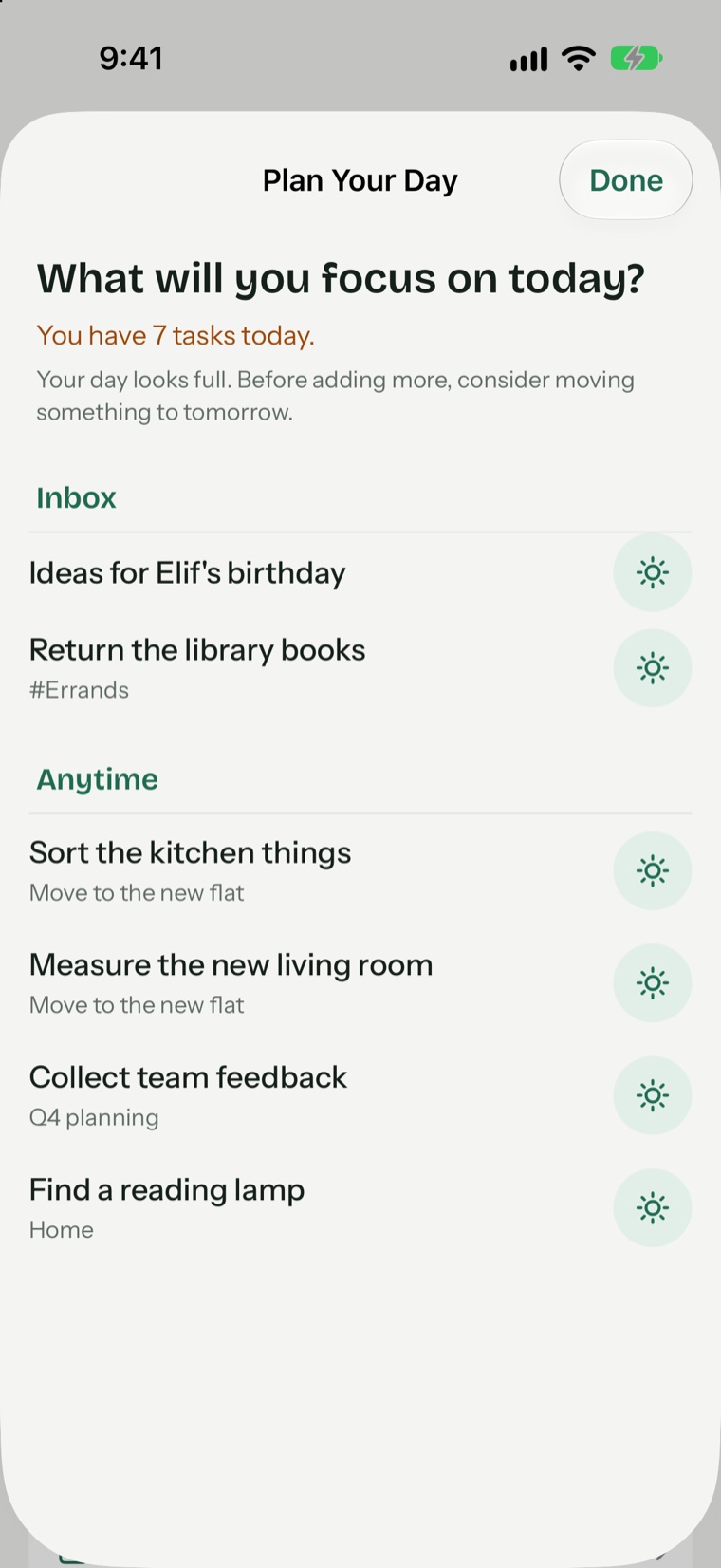
Each morning, at a time you choose, Pineday asks what you will focus on today. You pull tasks in from your Inbox and Anytime list with a tap. If the day is already full, the app says so and suggests moving something to tomorrow.
See the load of the week at a glance
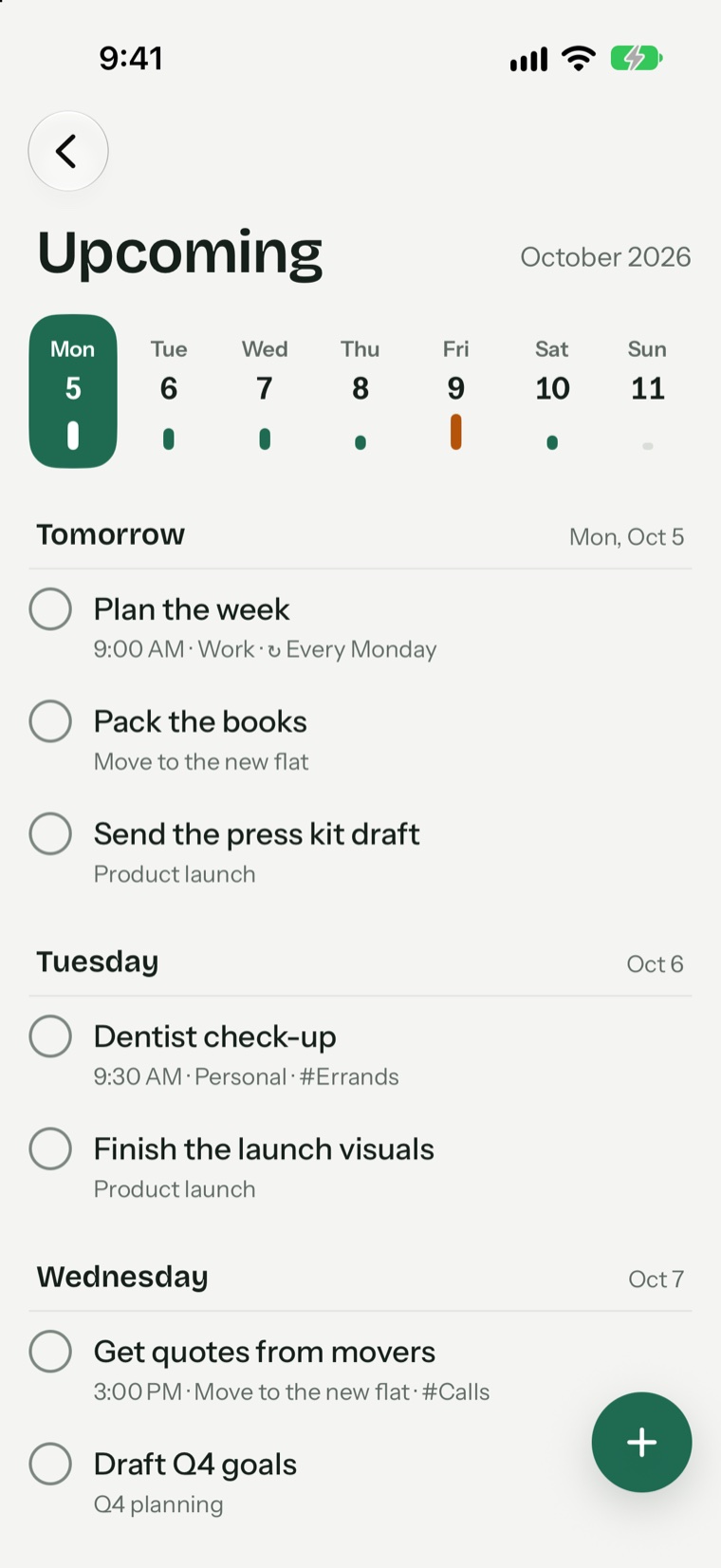
In Upcoming, a small bar under each day shows how many tasks it holds. Days that pass your limit turn orange. Drag a task onto a calmer day and the week evens out. With Pineday Pro you can set your own busy-day limit and see calendar events in the same bar.
Plans that repeat, without the copying
Write “every Monday”, “every 2 weeks” or “monthly” in the task and it comes back on its own. Add a reminder for the tasks that need one and leave the rest quiet.
Questions and answers
Is there a free daily planner in Pineday?
Yes. The morning plan, Today, Upcoming and the weekly load bar are all free.
Does it show my calendar?
With Pineday Pro, your calendar events appear in the weekly load so you can see meetings and tasks together. Events are only read and never leave your device.
Does it support time blocking?
Not as a timeline. You can give a task a time, but Pineday plans by day rather than by the hour.
Try Pineday on your own day.
Free on the App Store for iPhone, iPad and Mac. No account needed.
- iPhone
- iPad
- Mac