
Pineday vs Apple Reminders
When Apple Reminders is no longer enough
Reminders is free, built in and good at remembering things. Pineday starts where it stops: deciding what today is for and what fits in the week.
- iPhone
- iPad
- Mac
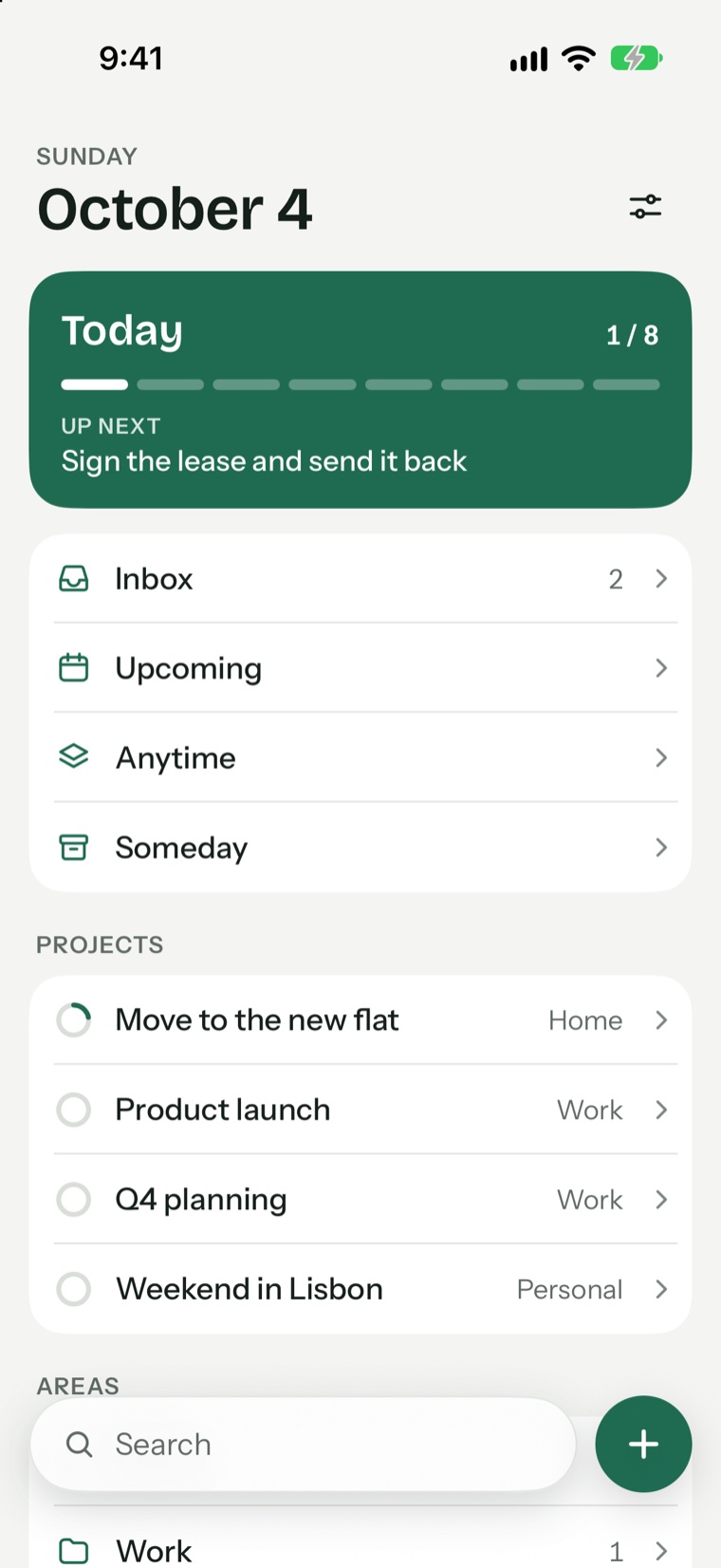
Pineday and Reminders side by side
| Pineday | Apple Reminders | |
|---|---|---|
| Price | Free to start, Pro optional | Free, built in |
| Daily plan | Today list, This Evening, morning plan | Today smart list |
| Weekly load view | Yes | No |
| Projects with headings | Yes | Lists, groups and sections |
| Someday and Anytime lists | Yes | No |
| Sync | Your iCloud (Pro) | Your iCloud, free |
| Shared lists | No | Yes |
| Location reminders | No | Yes |
| Apple Watch and Siri | No | Yes |
Signs you have outgrown Reminders
- Your Today list is the same long list every day
- You have no idea which day next week is already full
- Projects with several steps turn into one long list
- Ideas for someday sit next to things due tomorrow
What Pineday adds
Pineday separates what you could do from what you will do today. A task lives in the Inbox, Anytime or Someday until you choose it. The morning plan asks what you will focus on, and the load bar shows when a day has too much on it.
Where Reminders is the better choice
If you mostly need to be reminded of things, Reminders is hard to beat. It is free, it syncs without paying, Siri can add to it, it can remind you when you arrive somewhere and you can share lists. Keep it for shopping lists even if you plan your days in Pineday.
Questions and answers
Can I use Pineday and Reminders together?
Yes, they are separate apps. Many people keep shared shopping lists in Reminders and plan their work in Pineday.
Does Pineday import from Reminders?
There is no automatic import at the moment.
Try Pineday on your own day.
Free on the App Store for iPhone, iPad and Mac. No account needed.
- iPhone
- iPad
- Mac